Clipping in Player Housing Let’s Get Creative With Designs
One of the things many players have already pointed out with the new player housing system is that, while couches and chairs come with built-in interactions, beds unfortunately don’t. You can’t sit or lie on them the same way you can with other furniture, which can feel a little strange when you’re trying to make your home feel cozy or when you're setting up scenes for RP or screenshots.
But the good news? clipping is a workaround you can use right now, and it’s surprisingly easy. With a tiny bit of creative placement, you can make your character sit on the edge of your bed just like it’s a functional piece of furniture.
It uses nothing more than the advanced edit mode and a regular chair.
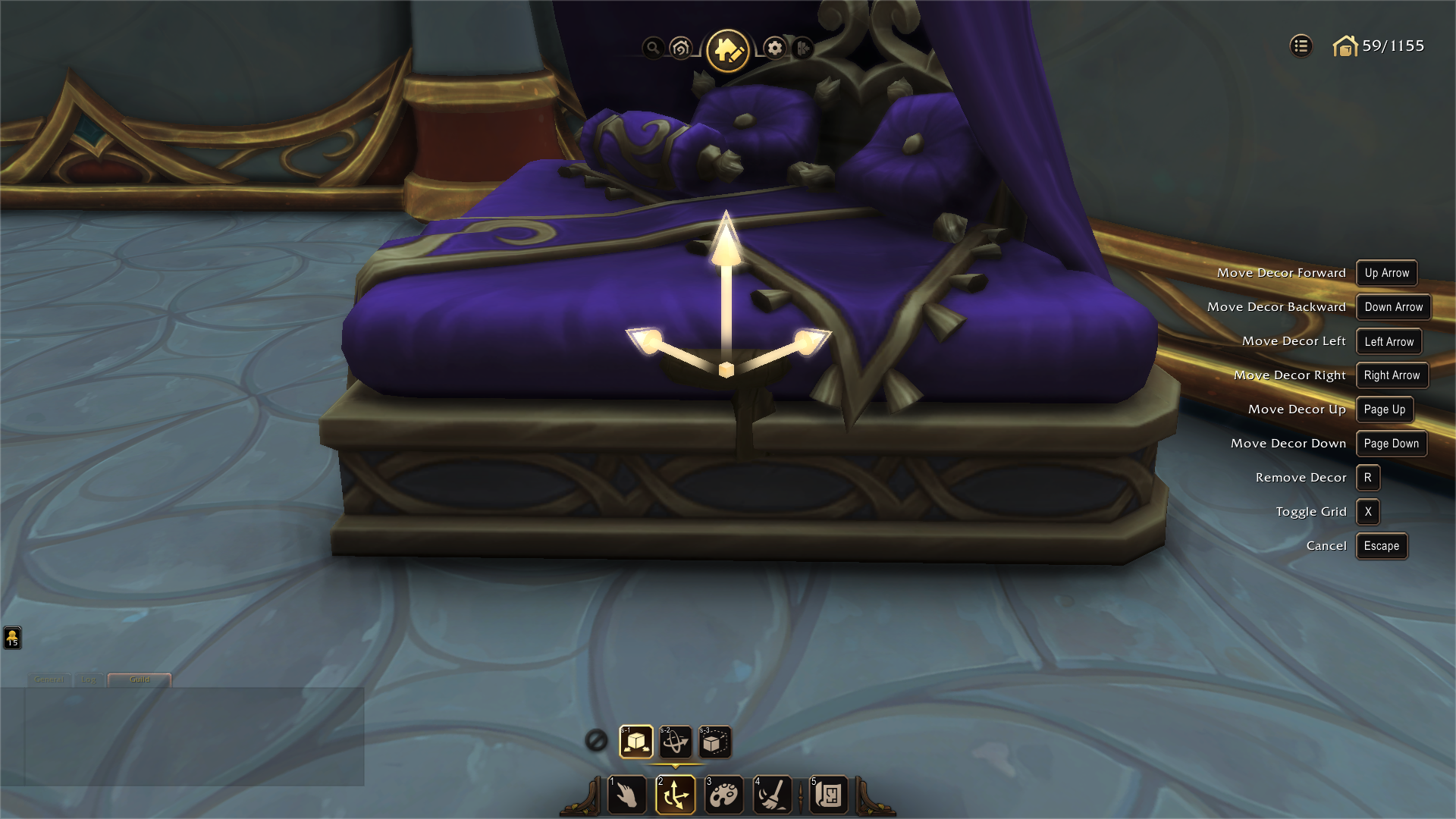
The idea is simple: because beds don’t have their own sit animation, you use the animation from a chair instead. By shrinking a chair down and placing it inside the bed, you can essentially “borrow” its interaction. When done correctly, your character will appear to sit naturally on the bed, and the chair will be completely hidden from view. It opens up a lot of possibilities for decorating scenes, hanging out in your home, or just adding a little more life to your space.
This is an example of what you will be doing, simply just placing the stool inside the bed completely hidden then getting the high adjustment just right so your characters not clipping much through the bed when sitting.
And The Results should look like this, a functional sitting bed.

Here’s how it works in practice:
Enter the Advanced Edit Mode
The advanced mode gives you more control over placement and scaling, which is essential for clipping.Pick a Chair You Don’t Mind Hiding
Any chair with a sit interaction will work. but since we only want the interaction and not the apperance it’s more optimal to use a stool for exmaple Zuldazar StoolScale the Chair Down
Shrink it small enough that it won’t stick out of the bed. You can go very tiny here just enough for the interaction to remain usable.Place or Clip the Chair Into the Bed
Position it where you want your character to sit. Usually near the edge because that looks the most natural. You might need to adjust the height a little so your character’s legs don’t clip oddly, this is were scaling it to small is bad.Sit on the Hidden Chair
Once it’s placed, all you have to do is sit as normal. Because the chair is invisible to the eye, it looks like your character is comfortably sitting on the bed itself.
Enable clipping, scale down a chair, and place it inside of an object to make it look like your character is sitting on it! pic.twitter.com/PgNm3E1YUQ
— Ivy (@ivussyx) October 19, 2025
What’s great about this trick is how flexible it is. You can set up seating on different sides of the bed, adjust the position for character height differences, or even create layered furniture setups for a more dynamic scene. It’s one of those small housing “Tricks” that can make a big difference in how your house feels.
Hopefully Blizzard gives us functional beds & other furniture in future updates but until then, this little workaround does a surprisingly good job of filling the gap. If you’re someone who loves decorating, roleplaying, or staging screenshots, it’s definitely worth trying out. Happy housing, and may your character enjoy finally being able to sit on their own bed!